A vocabulary builder for paper books
Kindle's Vocabulary Builder keeps the words you look up in an e-book. SnapVerbo does the same for the books on your shelf, and for your Kindle too: photograph the page, tap the word, and it's saved with its definition and the sentence it came from, ready for flashcards or Anki.


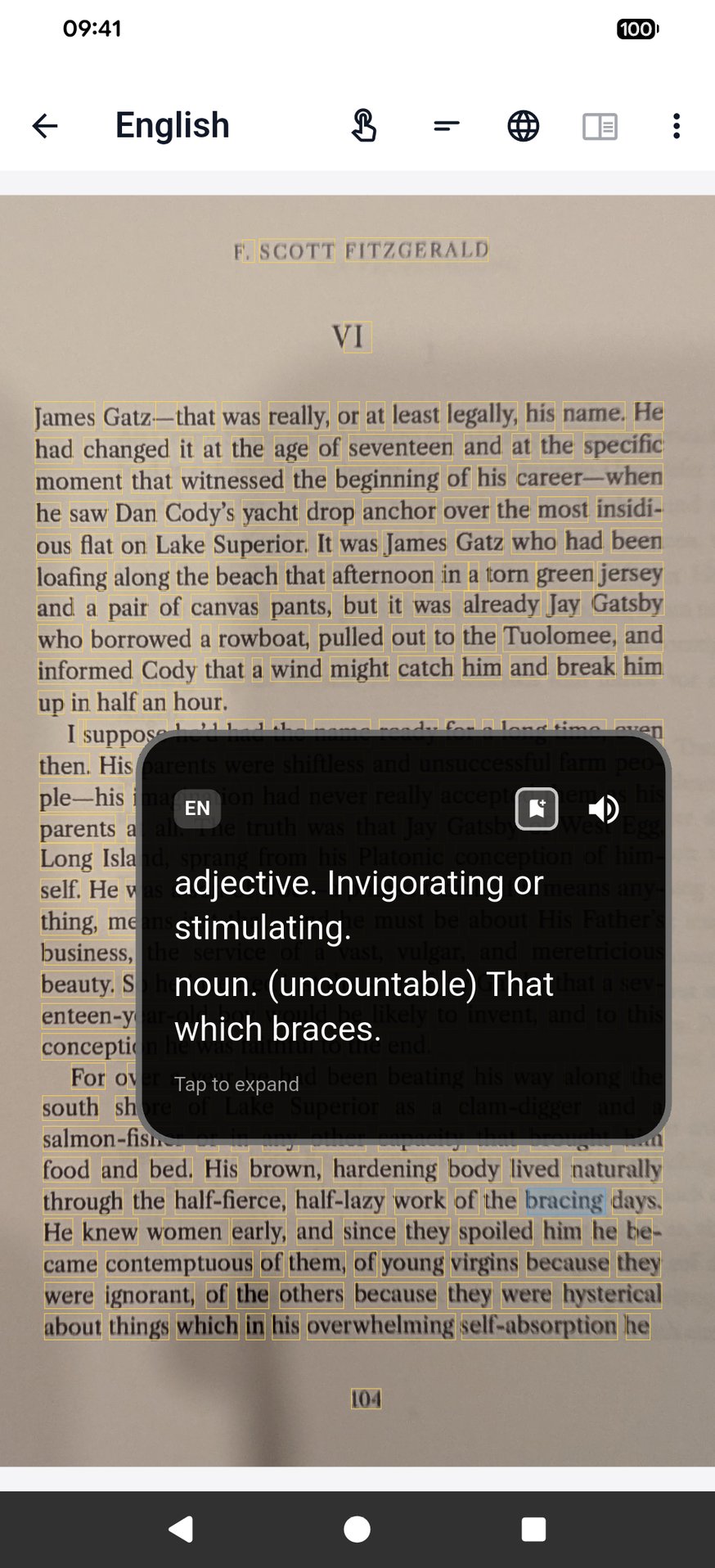
Tap a word on the page
Kindle books and paper books, in one place
Kindle's Vocabulary Builder keeps the words from your Kindle e-books on your Kindle. SnapVerbo collects words from everything you read, Kindle books included, in one vocabulary:
- Your Kindle — photograph the screen; an e-ink page reads like a printed one.
- Paperbacks and library books — photograph the page; the text is read on the phone.
- Other reading apps — take a screenshot and tap the word.
- Articles — share the link from your browser.
What each word keeps
- The definitions and the pronunciation.
- The sentence you met it in, so you remember how it was used.
- The photo of the page.
- Word Roots: where the word comes from.
Review the words as spaced flashcards in the app, or keep a wordbook for each book you read.
To Anki, without extra tools
Kindle has no built-in way to send its Vocabulary Builder words to Anki; people use third-party tools that read the Kindle's word file. SnapVerbo exports an Anki deck itself: each note carries the word, its definition, the sentence and, if you like, the photo of the page.
Kindle details as of November 2026. Kindle is a trademark of Amazon; SnapVerbo is not affiliated with Amazon.
Questions
- Is there a Kindle Vocabulary Builder for paper books?
- SnapVerbo works the same way for printed books: photograph the page, tap the word you looked up, and it is kept with its definition and the sentence it came from. It also works on screenshots of other reading apps.
- Can I use it with my Kindle?
- Yes. Photograph your Kindle's screen and tap the word, and it joins the words you saved from paper books, screenshots and articles, all in one vocabulary with the same flashcards and Anki export.
- Can I export the words to Anki?
- Yes, directly from the app. Export a wordbook or all your words as an Anki deck; each note carries the word, its definition, the sentence it came from and, if you choose, the photo of the page.
- Does it give English definitions?
- Yes. Set English as both the language you read and the language you look words up in, and each word comes with English definitions, its pronunciation and, through Word Roots, where it comes from.
- Does it work for books in other languages?
- Yes. Read a French or German book and look words up in English, or in your own language. SnapPara can also show a whole page with its translation, sentence by sentence.
- Is it free?
- Yes, free forever, with no account needed. Short ads help cover the cost of AI translation.