Parallel read anything you want to read
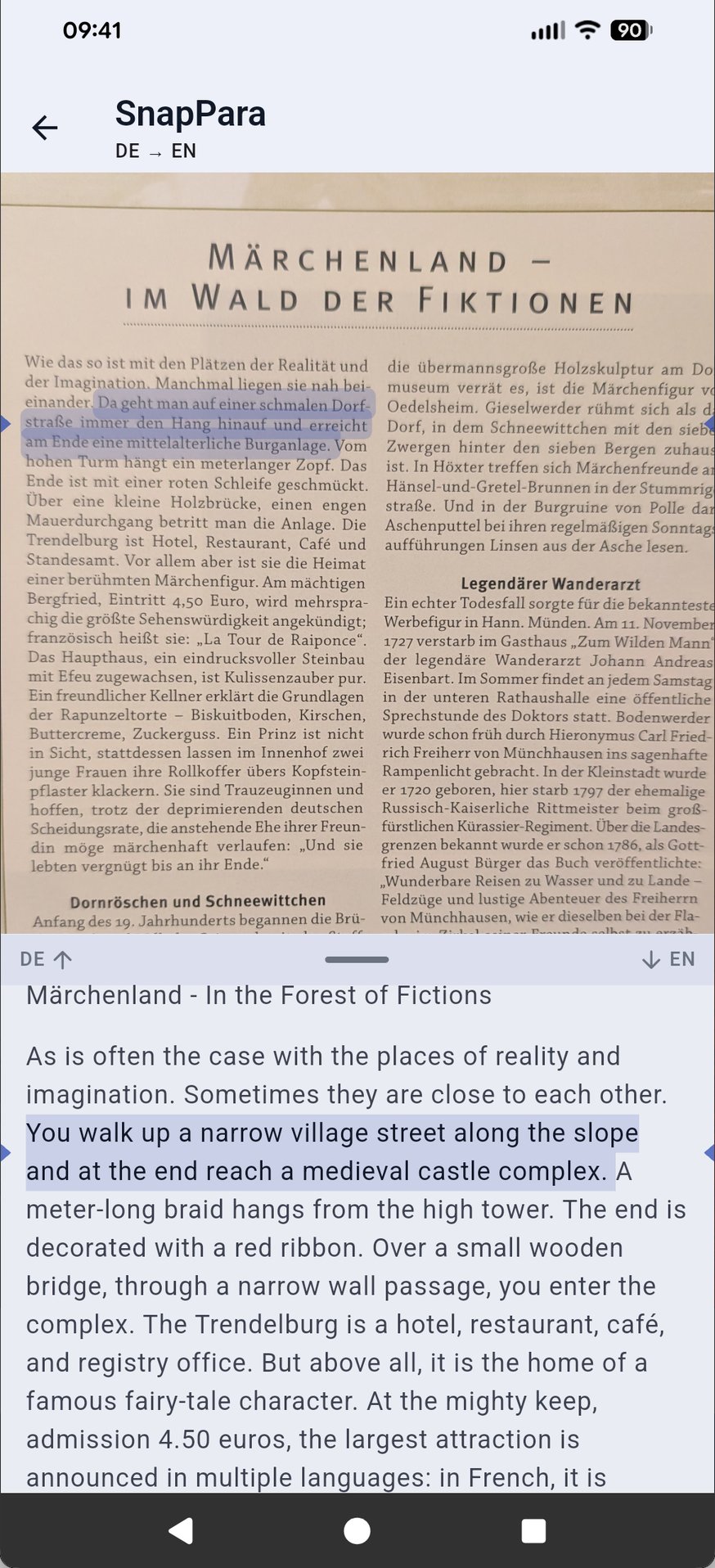
SnapPara, in the SnapVerbo app, shows a page in the language you're learning with its translation beside it, sentence by sentence. It works on your own material: a book page, a screenshot, a web article or pasted text.


Read a book page
Not limited to a library
Parallel-text books and most bilingual reading apps give you their own selection of texts. SnapPara works on what you'd read anyway:
- Paperbacks and printed pages — photograph a page.
- Screenshots — of an app, a chat or a social post.
- Web articles — share a link from your browser; SnapPara pulls out the article text.
- Any text — paste or share a few paragraphs.
How it reads
- The original is on top and the translation below. Turn the phone sideways to read them side by side.
- Scroll either half and the other follows.
- The translation is sentence-aligned: tap a sentence to highlight it in both languages.
- Tap a word to hear it and save it, together with the sentence and its translation. It comes back on your flashcards.
Step-by-step guide to SnapPara →
Parallel text by language: Spanish, French, German, Italian, Portuguese, Japanese, Chinese, Korean.
Coming from another reader? SnapVerbo vs Readlang, SnapVerbo vs LingQ.
Questions
- What is parallel reading?
- Reading a text in the language you are learning with its translation beside it, sentence by sentence. You read the original and glance at the translation only when you get stuck, so you can read material that would be too hard on its own.
- Can I parallel read my own material, not just a built-in library?
- Yes. SnapPara works on whatever you are already reading: a photo of a book page, a screenshot, a web article you share from your browser, or text you paste.
- Which languages does SnapPara support?
- SnapPara reads English, German, French, Spanish, Italian, Portuguese, Dutch, Swedish, Danish, Norwegian, Polish, Czech, Turkish, Russian, Ukrainian, Chinese, Japanese and Korean, and translates into many more. It detects the page's language and translates into your target language.
- Can I save words while I read?
- Yes. Tap a sentence to highlight it in both languages, then tap a word to hear it and save it together with the sentence and its translation. Saved words come back on flashcards and export to Anki, Quizlet or PDF.
- Is SnapVerbo free?
- Yes, free forever. No trial, no subscription, and every feature, SnapPara included, is free. Short ads help cover the cost of AI translation.