
Learn from what you read every day.
SnapVerbo lets you understand and remember language directly from real-world texts, screenshots and web articles — without typing, copying, pasting, or losing context.


Capture — Take a photo or import a screenshot from your gallery.
Tap to understand — See translations or definitions instantly, without covering the original text.
Save what matters — Keep each word with the sentence and picture it came from: a vocabulary notebook that fills itself as you read, and the start of your sentence mining.
Review — Revisit saved words as flashcards, spaced so they stick.

Capture
New in 3.0
SnapPara: parallel read any page
Open a page in another language and read it with its translation beside it, sentence by sentence. The original stays in front of you; the translation is there when you need it.
- Books, photos and screenshots — capture a page, then tap the book icon.
- Web articles — share a link to SnapVerbo, or paste it in.
- Longer text — paste or share a few paragraphs.
Scroll either half and the other follows. Tap a sentence to see it in both languages. Tap a word to hear it and save it, together with the sentence and its translation — they come back on your flashcards.
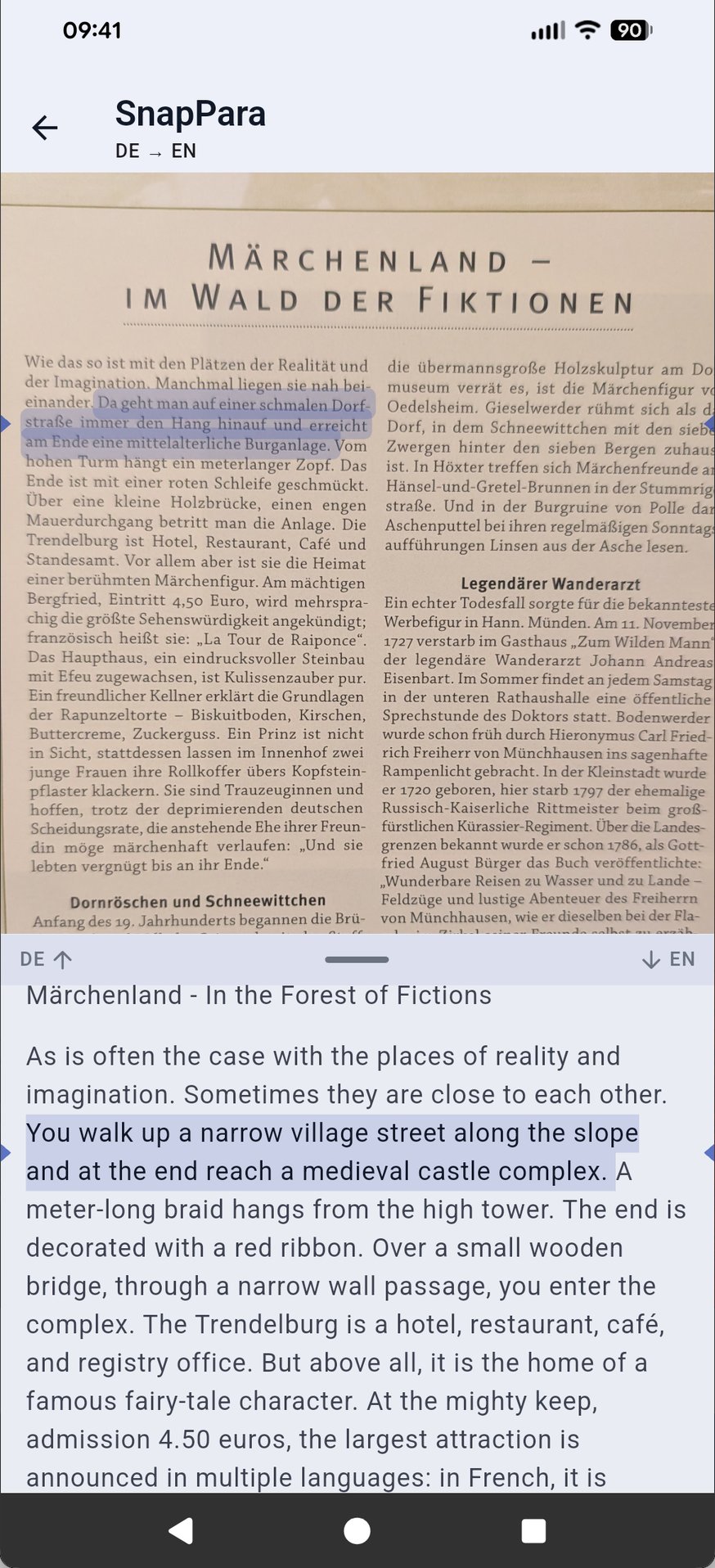
Read a book page
Why SnapVerbo
Most translation tools are built for one-off understanding. They overlay translations on top of text so you can move on quickly — useful for travel, but not for learning.
SnapVerbo is built for language learners.
It shows translations without hiding the original language and keeps words tied to the image or sentence they came from — whether that's a screenshot of an app or article, a book page, a restaurant menu, a street sign, or subtitles on a show.
Saving a word together with its original visual context makes it easier to imprint into memory.
Review with SnapVerbo's built-in flashcards, or keep the study routine you already have — any wordbook exports as an Anki deck, a Quizlet-ready file, or a PDF of printable flashcards.

Definitions while you read
Where it works best
SnapVerbo works best with Latin-alphabet languages, Chinese, Japanese and Korean. Russian and Ukrainian work with pasted or shared text and web pages, and on iPhone with photos and screenshots too. We are gradually introducing other scripts.
See supported languages in the guide.