A vocabulary app for adults who read
The words worth learning are the ones you meet in your own reading. Tap one in a book, an article or a screenshot, and SnapVerbo keeps it with its definition and the sentence it came from, then brings it back until it sticks.


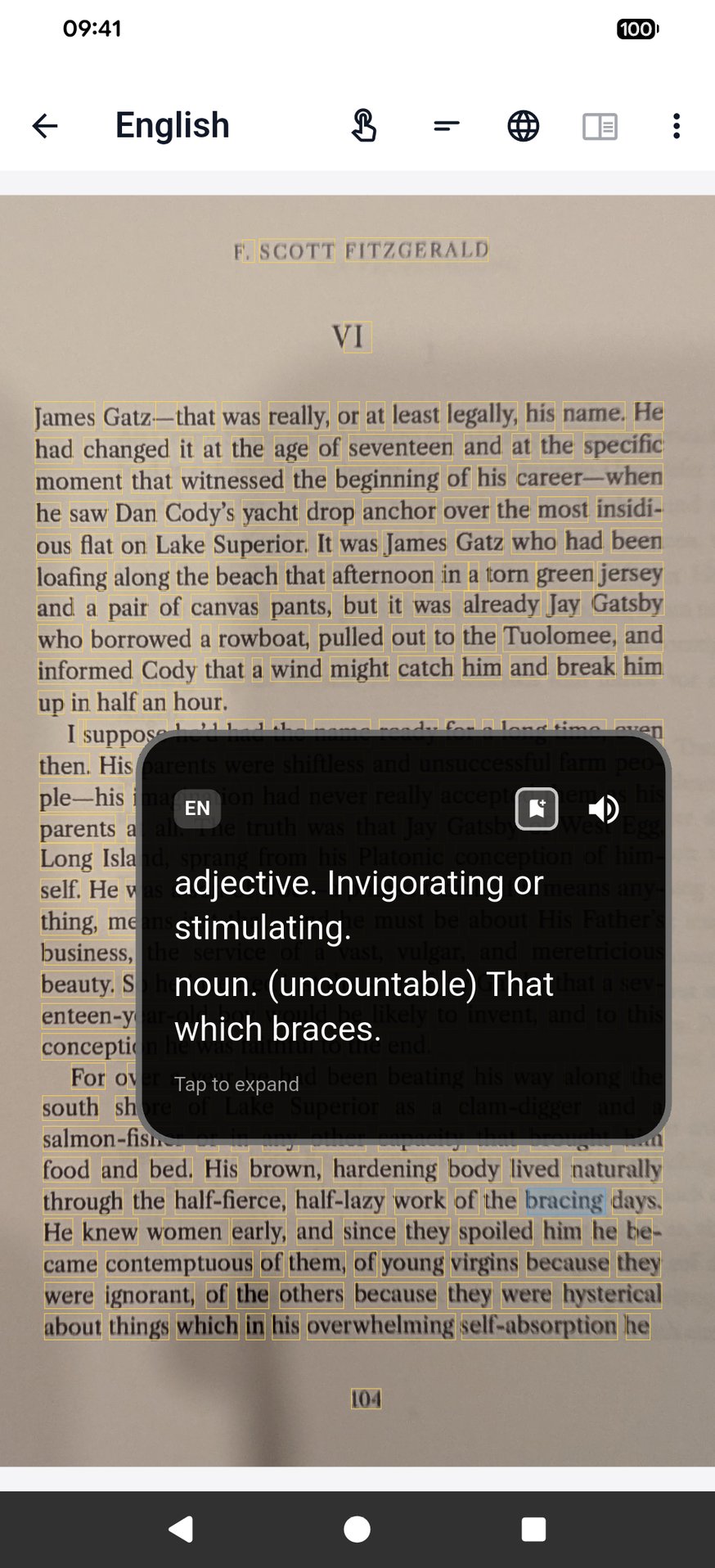
A word from your book
Your reading, not a word list
Word-of-the-day apps teach words you may never see again. A word from the book on your nightstand already has a place in your memory: the story, the sentence, the page. SnapVerbo keeps all of that with it.
- Books on paper or on a Kindle — photograph the page.
- Articles and newsletters — share the link or take a screenshot.
- Anything else — type or paste the word.
What you get for each word
- English definitions and the pronunciation.
- The sentence you met it in, and the photo of the page.
- Word Roots: where the word comes from, and related words that share its root.
- Spaced flashcards, a wordbook for each book, and export to Anki or a PDF of printable flashcards.
Questions
- What is a good vocabulary app for adults?
- One that works from what you already read. SnapVerbo saves the words you meet in books, articles and screenshots, with their definition and the sentence they came from, and brings them back as flashcards, instead of handing you a list.
- Can I improve my English vocabulary as a native speaker?
- Yes. Set English as both the language you read and the language you look words up in. Each word comes with English definitions, its pronunciation and, through Word Roots, where it comes from.
- How do I remember the words?
- Spaced flashcards bring each word back just before you would forget it, with the sentence you first met it in on the card. You can also export your words to Anki or print a PDF of flashcards.
- Does it work for learning another language?
- Yes. Read in French, German, Japanese or many other languages and look words up in English or your own language; SnapPara can show a whole page with its translation, sentence by sentence.
- Is it free?
- Yes, free forever, with no account needed. Short ads help cover the cost of AI.